This article orginally appears on the AvePoint blog site at: https://www.avepoint.com/blog/strategy-blog/guide-to-smarter-power-platform-environment-strategy Microsoft’s Power Platform has become a powerhouse for innovation, especially with the rise of Copilot Studio agents and low-code development. But as adoption increases, so does the complexity of managing data, apps, agents, flows, and reports. At the center of it all? Environments. A … Continue reading Your Guide to a Smarter Power Platform Environment Strategy

Update a CHOICE column using the Send HTTP Request to SharePoint action in Power Automate
In previous posts, we explored using the Send HTTP Request to SharePoint action in Power Automate for tasks like retrieving items with an OData filter query and updating a text column. Now, we'll discuss how to update choice columns in SharePoint Lists using this action. Although the standard Update item action usually works, you'll need … Continue reading Update a CHOICE column using the Send HTTP Request to SharePoint action in Power Automate
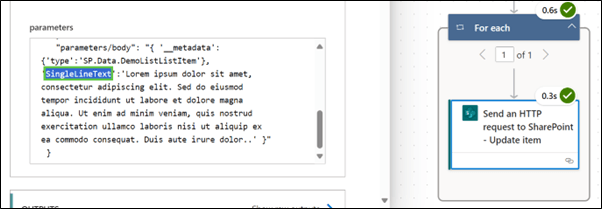
Update a single line of text column using the Send HTTP Request to SharePoint action in Power Automate
In this blog post, we learned how to use the Send HTTP Request to SharePoint action in Power Automate to update an existing single line of text column in a SharePoint list item. This action is powerful and flexible, allowing for various operations on SharePoint data using the REST API.

Getting started with the Send HTTP requests to SharePoint using Power Automate
Did you know that the standard SharePoint actions in Power Automate, such as Get items and Update item, can only manage a maximum of 12 lookup columns? Also, did you know that column types like Image can't be utilized with the Create item and Update item actions? In such cases, the Send HTTP Request to … Continue reading Getting started with the Send HTTP requests to SharePoint using Power Automate

Take action based on value in a Dataverse column using Power Automate
When a record in Dataverse changes the updated value can represent a state change within a business process that needs to execute further action. Consider the Tasks table. If the Activity Status column value changes to “Completed” then notify the user who submitted the issue. In Power Automate we can support this type of process … Continue reading Take action based on value in a Dataverse column using Power Automate
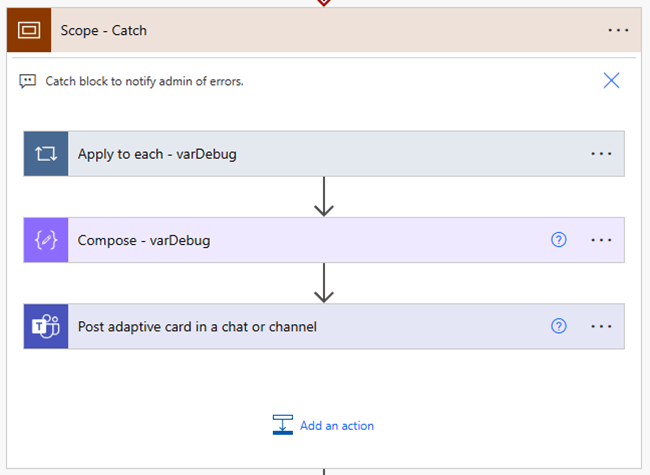
Error handling in Power Automate using Adaptive Cards for Microsoft Teams
I’ve created enough Power Automate routines to know that they all eventually fail for some reason or other and it’s important to add resiliency to your production Flows where you can. This can include: Using service-accounts for your connections. This removes the impact of account actions like password changes or user deactivations. Adding co-owners to … Continue reading Error handling in Power Automate using Adaptive Cards for Microsoft Teams

Extract multiple lines of text from email using Power Automate
I recently encountered a scenario where I had to extract multiple lines of text from a system generated email using Power Automate. The key to this Flow pattern is the predictability of the system generated message, meaning I can count on line 1 always being line 1 and line 2 always being line 2 etc. … Continue reading Extract multiple lines of text from email using Power Automate
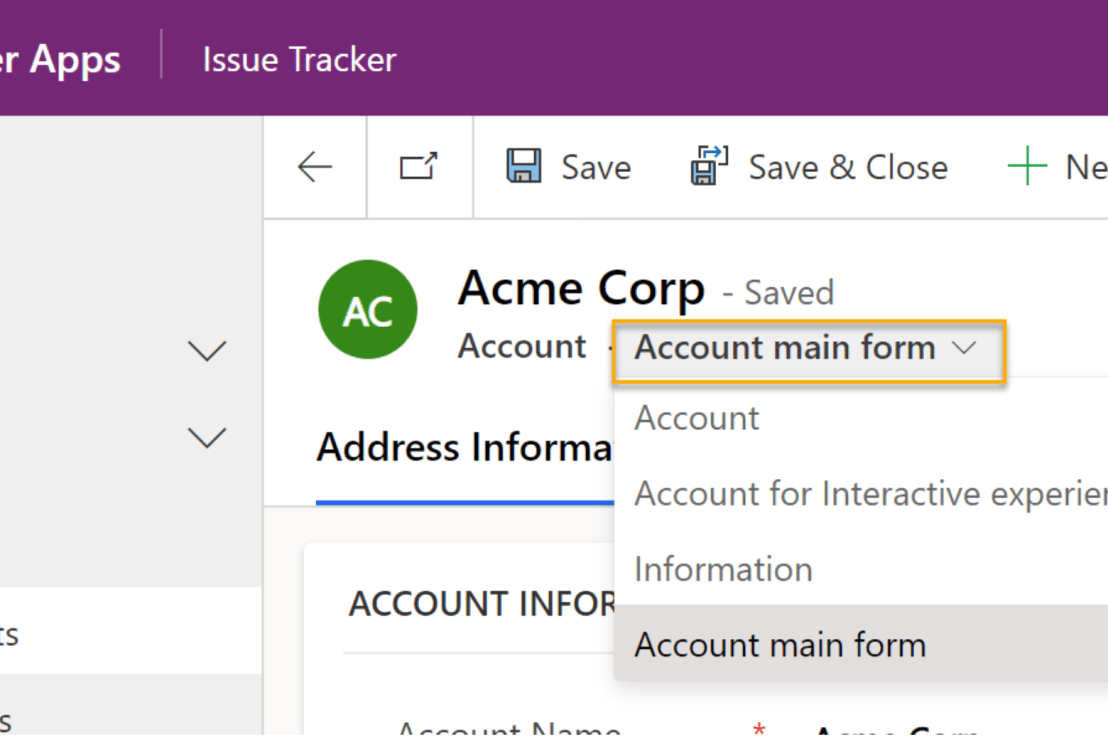
Get started with Dataverse Forms
One of the great values of using Dataverse Model-driven apps is the ability to use the out-of-the-box forms. These forms supply the user interface to the tables and data within our app and can be customized to meet requirements without having to learn code or incur technical debt. The out-of-the-box forms can be added and … Continue reading Get started with Dataverse Forms

How to create a new Dataverse Solution
In an earlier blog post, I wrote about Dataverse environments and how they are the container that stores the data, apps, processes, reports, and other components within a Dataverse solution. A Dataverse solution is the way that we package our application and all its parts into a single file that can be used for distribution or … Continue reading How to create a new Dataverse Solution

How to create a new Dataverse Environment
An environment in Dataverse is the container that stores the data, apps, processes, reports and other components within a Dataverse solution. A common use case for creating added Dataverse environments is to keep “production”, “test”, and “development” activities separated. In this blog post, we will walk through the steps of creating a new Dataverse environment and … Continue reading How to create a new Dataverse Environment
 Norm Young