This blog post is inspired by the following Microsoft Tech Community (SharePoint > PowerApps & Flow) conversation: https://techcommunity.microsoft.com/t5/PowerApps-Flow/SharePoint-MS-Word-Content-Review-Flow-Reality-Check/m-p/848021 The stated requirements are: “send a link to a SharePoint document with a message for them to review, make comments, and save when done”“create a Status flag for the documents so when a link has been sent … Continue reading Tech Community: Document review
SPS Toronto – Power BI and SharePoint in Higher Education
I’m sharing my slide-deck from my session on Power BI and SharePoint in Higher Education. The slide-deck can be downloaded below. Thanks to those that attended and thanks to SPS Toronto for having me. Thanks for stopping by. Norm spstoronto-normyoung_11-23-2019Download
SharePoint default forms and PowerApps
The "out of the box" SharePoint Online List experience offers excellent form and function. However, there are times when the default new/edit form must be updated. In this post I will customize the default form using PowerApps. Specifically, I will remove the "Title" entry and show how to update the default PowerApps drop-down menu to … Continue reading SharePoint default forms and PowerApps
SharePoint Enhanced Quick Edit
Microsoft recently announced Enhanced Quick Edit for SharePoint lists and libraries features. These value-added updates go along way in modernizing the look and functionality of SharePoint lists. In this blog post I will try to showcase the Quick Edit updates with a list design that can be used for tracking enhancements. This is a no-low … Continue reading SharePoint Enhanced Quick Edit
SharePoint Webinar
I'm sharing my slide-deck and promoted URL's from the Brock University: Our journey to the cloud using SharePoint webinar. The slide-deck can be downloaded below. Here are the promoted URL's: Want to know more? Visit the SharePoint blog Want to get inspired? Get the SharePoint Look Book Thanks to those that attended and thanks to … Continue reading SharePoint Webinar
SPO Admin change the default Time Zone
This blog post was prompted by recent activities in my O365 developer tenant. I noticed that I had not set the default time zone during site creation (see image below). It’s easy to change the time zone through Site Settings > Regional Settings but, it's even easier if you set it once for all new … Continue reading SPO Admin change the default Time Zone
Modernize Sign-offs with SharePoint Online
Microsoft released a simple, yet very effective, approval tool for business automation called Request sign-off. The request for sign-off comes "out of the box" and works with individual documents and list items. To start a sign-off: Select the target document; click Flow and select Request sign-off. Click Create flow. Behind the scenes the flow will … Continue reading Modernize Sign-offs with SharePoint Online
Modernize Agreements Management
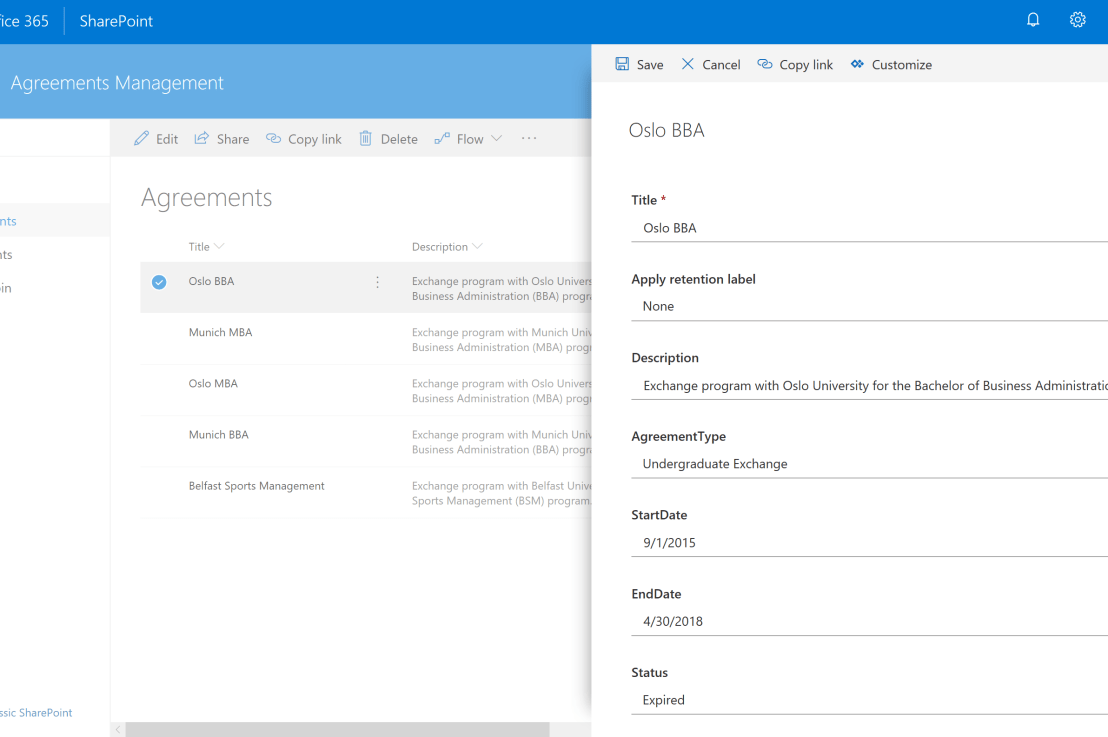
Most higher-ed institutions have the need to manage agreements with other institutions (i.e. exchange programs). This usually comes in the form of an Excel spreadsheet buried away in a shared network drive. Using SharePoint and Flow will go a long way in modernizing agreements management by surfacing content and adding value through automation. Recent enhancements to … Continue reading Modernize Agreements Management
Reinvigorating the SharePoint Issue Tracking App
The Issue Tracking app has been around since SharePoint 2007. It has proven itself useful for projects and support operations alike. Recent developments with column formatting present opportunities to breathe new life into the Issue Tracking app. Current Issue Tracking: Issue Tracking with column formatting: The use of JSON column formatting in the Issue Tracking … Continue reading Reinvigorating the SharePoint Issue Tracking App
SharePoint Hacks – Modern Experience
The modern experience is a welcome addition to the SharePoint platform. The user experience is elegant and works well on desktop and mobile platforms. The modern experience comes "out of the box" with all SharePoint Online provisioned Communication and Team sites. For those of us with legacy "Classic" sites the option to “upgrade” is available … Continue reading SharePoint Hacks – Modern Experience